Connect Salesforce
Pulls deals won, opportunities created, pipeline movement, and customer activity per employee.
Prerequisites
- Salesforce System Administrator profile (or any user with the "Customize Application" permission, so they can create a Connected App)
- A PerfCopilot admin account (the Connect button is only visible to admins)
- The Salesforce org's My Domain must be enabled (required for OAuth callbacks)
1. Generate credentials in Salesforce
- Sign in to https://login.salesforce.com as an admin.
- Navigate to Setup → App Manager → New Connected App.
📖 Official guide: Create a Connected App: Salesforce's own documentation for creating this credential.
- Enable OAuth Settings. Set the callback URL to
https://app.perfcopilot.com/auth/salesforce/callback. Add the scopesAccess and manage your data (api)andPerform requests on your behalf at any time (refresh_token, offline_access). - Click Save. After the 2-10 minute propagation window, open the new Connected App and copy the Consumer Key (client_id) and Consumer Secret (client_secret) from the API section. These belong to Connected-App setup: they are used to obtain an OAuth access token, not pasted into PerfCopilot.
- Use the Consumer Key and Secret to complete the OAuth flow and obtain an Access Token plus your Instance URL (
instance_url, e.g.https://yourcompany.my.salesforce.com).
Copy these values; you'll paste them in the next step:
- OAuth
Access Token Instance URL(instance_url)
2. Paste into PerfCopilot
-
Open Integrations on your PerfCopilot admin.
-
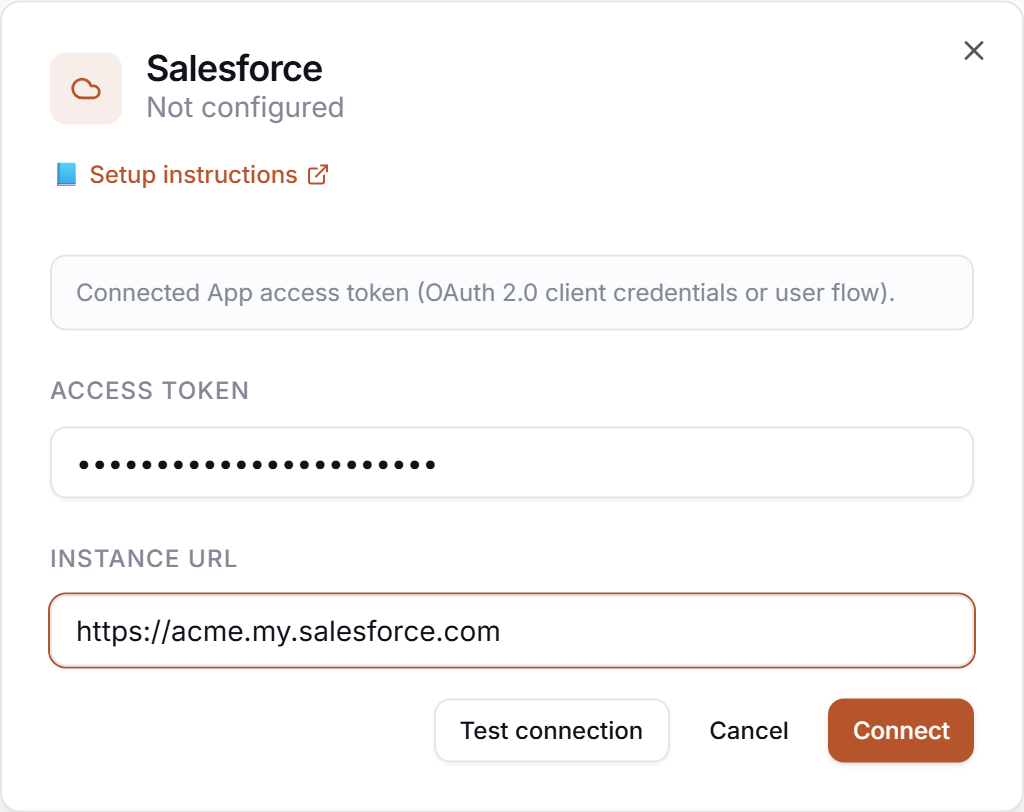
Find the Salesforce card and click Connect (or Manage if already configured).
-
Paste each value into the matching field:
Field in PerfCopilot Value from step 1 Access Token <your OAuth access token>Instance URL https://yourcompany.my.salesforce.com -
Click Save, then click Connect to launch the Salesforce OAuth popup and approve access.
3. Verify
Click Test in the drawer. Expected:
✅ Authenticated as your.name@company.com
If you see a red error, jump to Common errors.
Common errors
| Message | What it usually means | Fix |
|---|---|---|
OAUTH_APP_BLOCKED | A Salesforce admin disabled the Connected App from the org. | Re-enable the app in Setup → App Manager → PerfCopilot → Manage → Enable. |
HTTP 401: invalid_grant: expired_authorization_code | The OAuth authorization code was used twice (often a double-click on the popup). | Retry the Connect flow; each code can only be redeemed once. |
invalid_client_id | The Consumer Key was pasted with a stray newline or only partially. | Re-copy the full Consumer Key from Salesforce and paste again. |
What signals we pull
crm: opportunities created, deals_won, and accounts_touched per employee per cycle.
Need a feature you don't see? Tell us →.