How it works: the 9-step workflow
PerfCopilot has two phases. You set up once (four steps), then you operate the loop every cycle (five steps). This page walks through all nine with a screenshot of the screen you'll use at each step, and links to the deep-dive doc for anything you want to go further on.
New accounts get a guided version of the setup steps in the onboarding wizard at sign-up, and the setup checklist on your dashboard tracks the same items until they're all done. This page is the reference for the whole flow, whether you're setting up for the first time or running your next cycle.
| Phase | Steps |
|---|---|
| Set up once | 1. Import your team · 2. Connect your signals · 3. Train your tone · 4. Assign a preset to each person |
| Every cycle | 5. Open the cycle · 6. Sync all signals · 7. Generate the draft · 8. Review the draft · 9. Deliver |
Set up once
Four steps at the start. Do them once and PerfCopilot handles the rest until you're ready to write.
1. Import your team
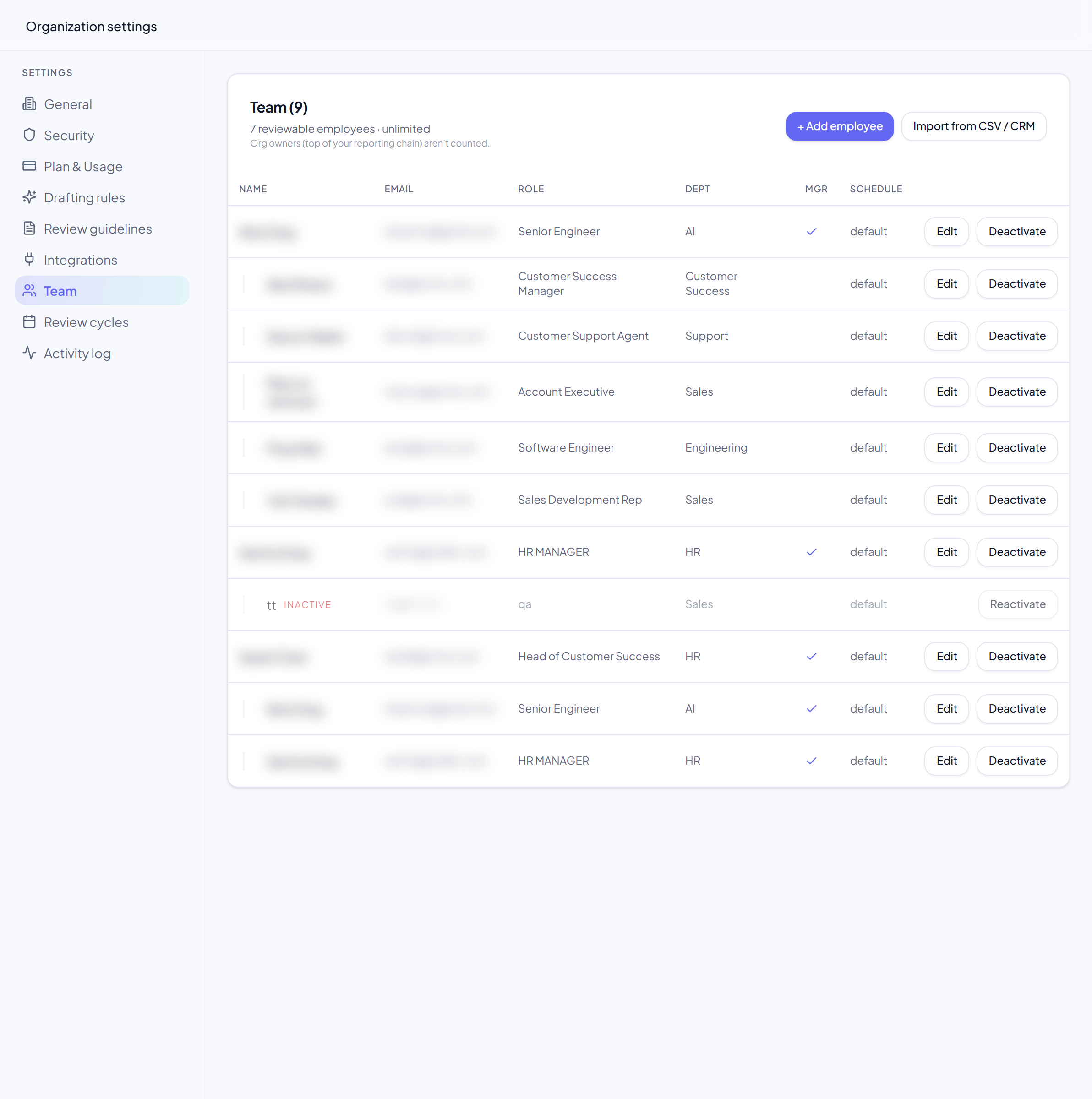
Bring people in by CSV upload or a sync from your HR system. Roles, departments, and managers come along, so each review lands with the right reviewer from day one.
In the app: go to Settings → Team. Use Upload CSV (a downloadable template shows the exact columns), or, if BambooHR is connected, click Sync from BambooHR to pull your roster, manager hierarchy, departments, and hire dates.
Learn more: Invite your team.
2. Connect your signals
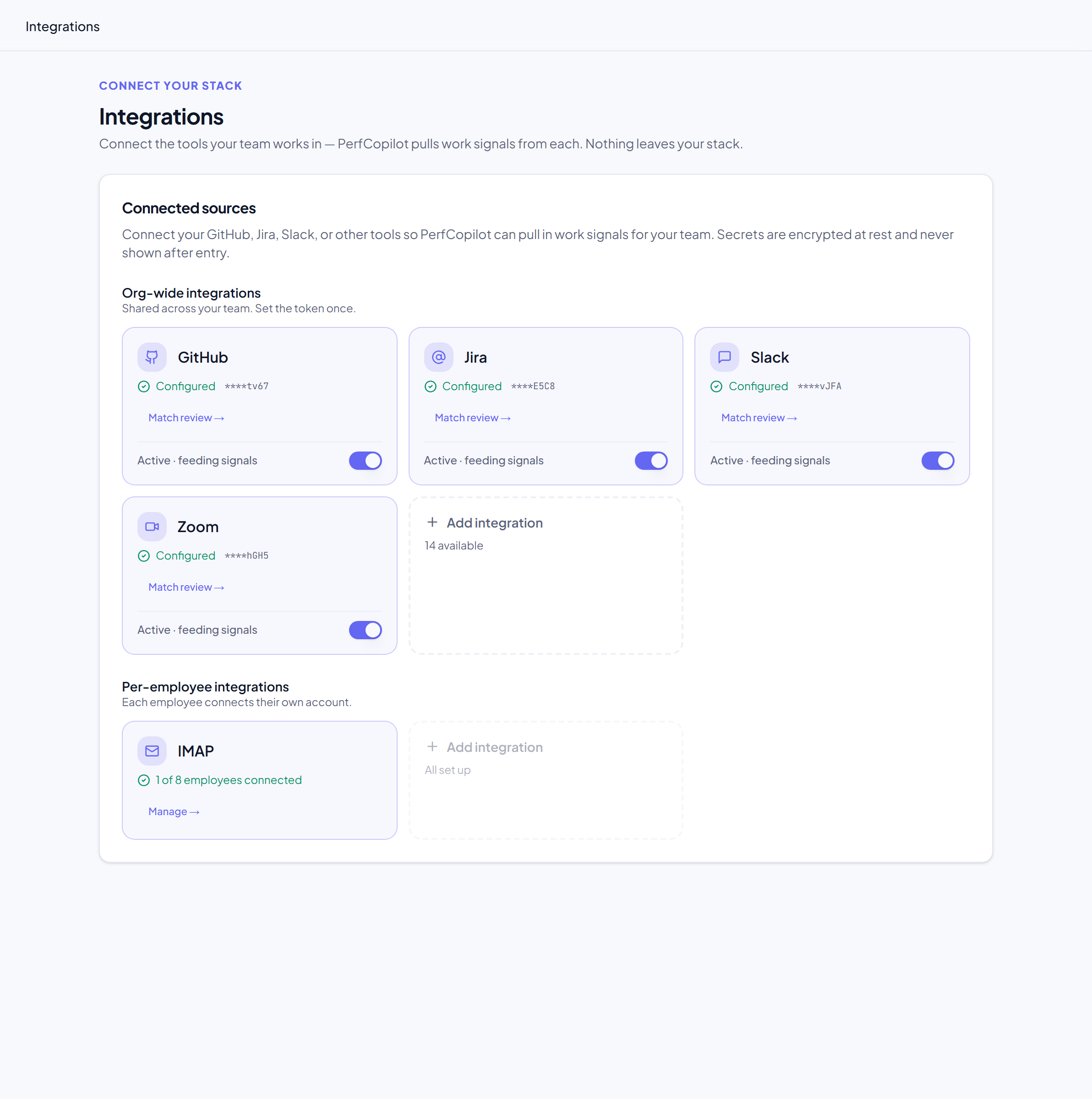
Connect the tools your team already uses. Twenty-plus integrations across code, communication, CRM, phone, attendance, and goals. PerfCopilot reads metadata only (ticket statuses, deal stages, activity counts), never message bodies.
In the app: open Integrations, click Add integration, pick a source, and either connect over OAuth or paste an API token. Each connected source can be paused or resumed without losing its credentials.
Learn more: Integrations overview.
Match each source's users to your team
A connected source reports its own users, but it can't know that GitHub's nickmars is your Jane Smith. You link them once. On a connected source card, click Match review to open the matching panel: PerfCopilot auto-links anyone whose email matches an employee and leaves the rest for you to link by hand, or to ignore for bots and shared accounts. Until a source's user is matched to an employee, that person's activity from that source contributes nothing to their review.
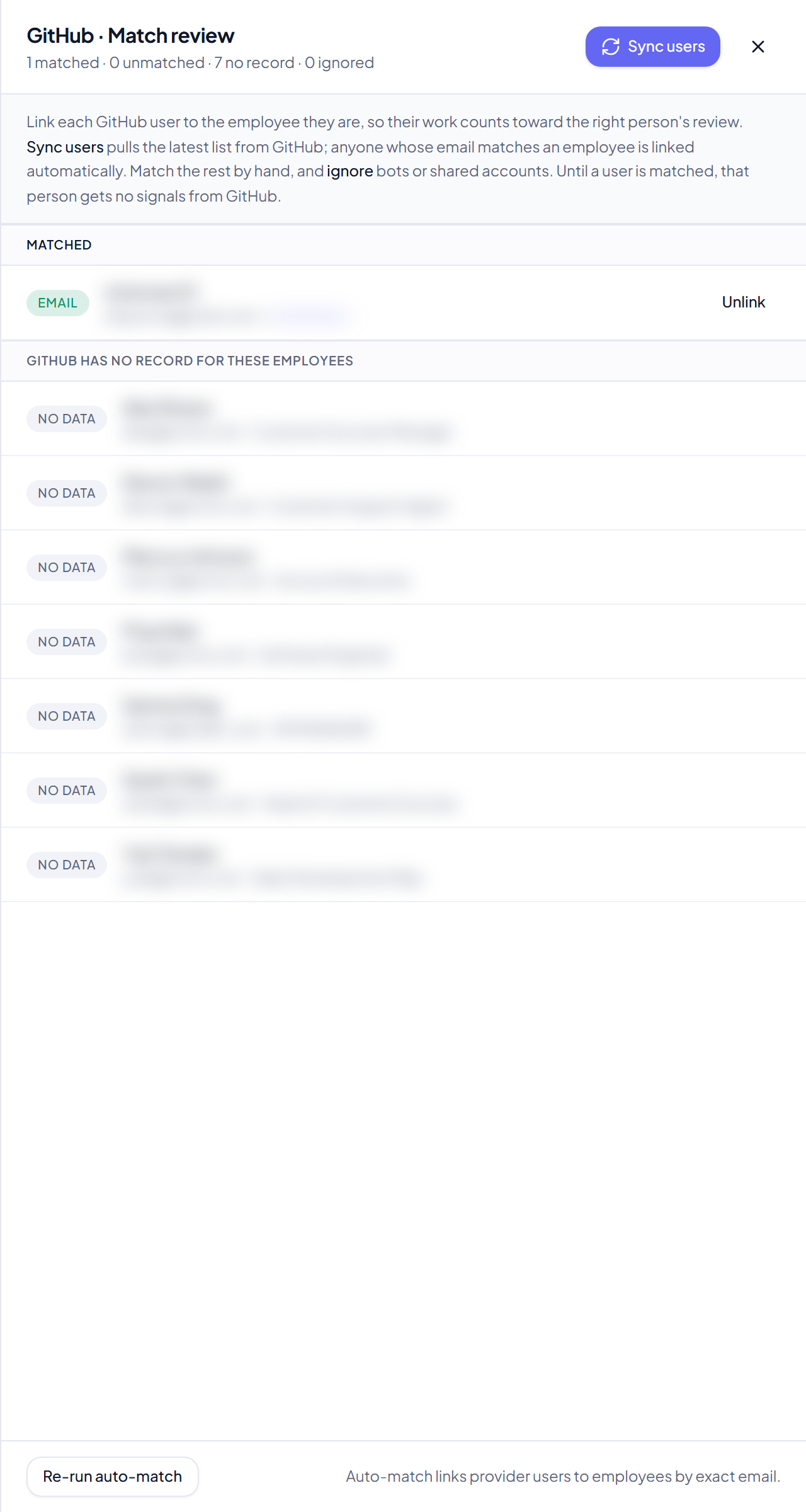
GitHub note: GitHub activity is searched within one organization. Connecting over OAuth sets this automatically when your token sees a single org; if you belong to several, open the GitHub source and set the GitHub Org slug to the one you want.
3. Train your tone
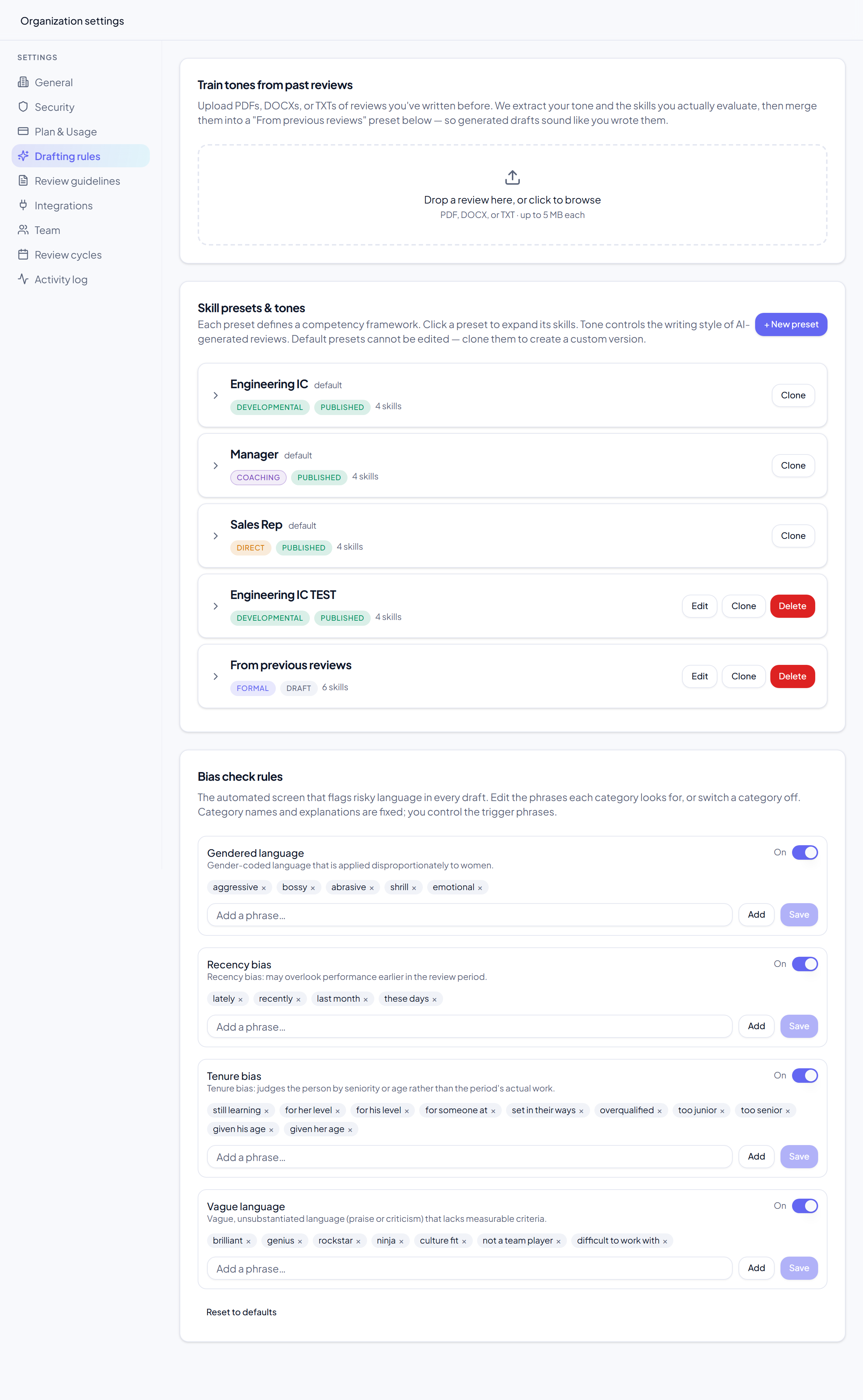
Upload a handful of past reviews you've written and Claude learns your voice: your phrasing, the skills you evaluate, the level of directness you use. The result is a custom preset that drafts in your tone, not generic AI tone. No past reviews on hand? Start from a default and tune it.
In the app: go to Settings → Drafting rules and drop a past review (PDF, DOCX, or TXT) into the uploader. PerfCopilot analyzes the tone and skills and builds a "From previous reviews" preset for you.
Learn more: How AI reviews work.
4. Assign a preset to each person
Match each person to the preset that fits their role, whether that's an IC, a manager, a sales rep, or a support lead. The preset decides which signals matter and how they're weighted when PerfCopilot drafts that person's review.
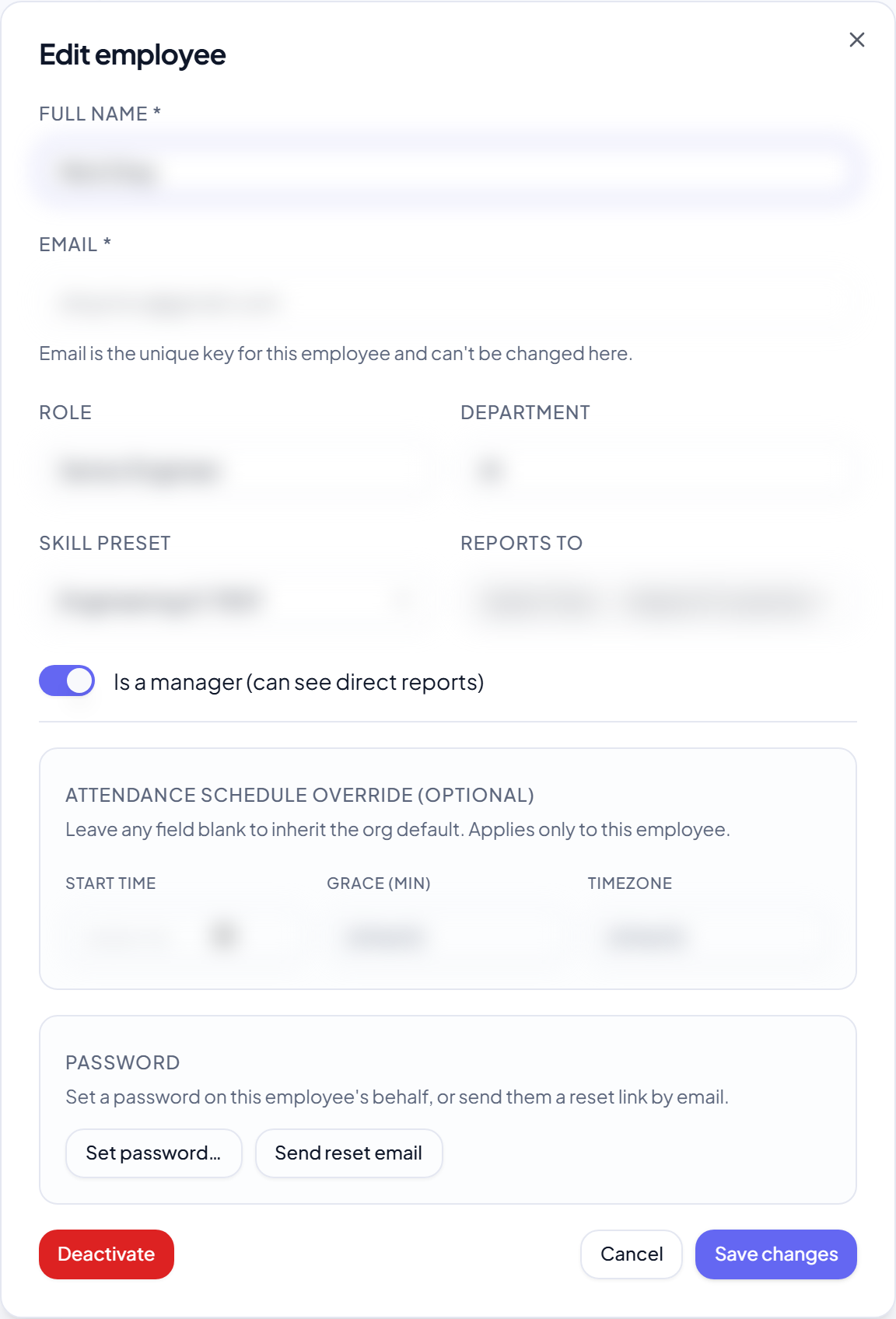
In the app: go to Settings → Team, click Edit on a person, and pick their Skill preset from the dropdown. The dashboard checklist marks this done once every active report has a preset.
Learn more: How AI reviews work.
Every cycle
Five steps you repeat each review cycle, from opening the window to delivering a sealed PDF.
5. Open the cycle
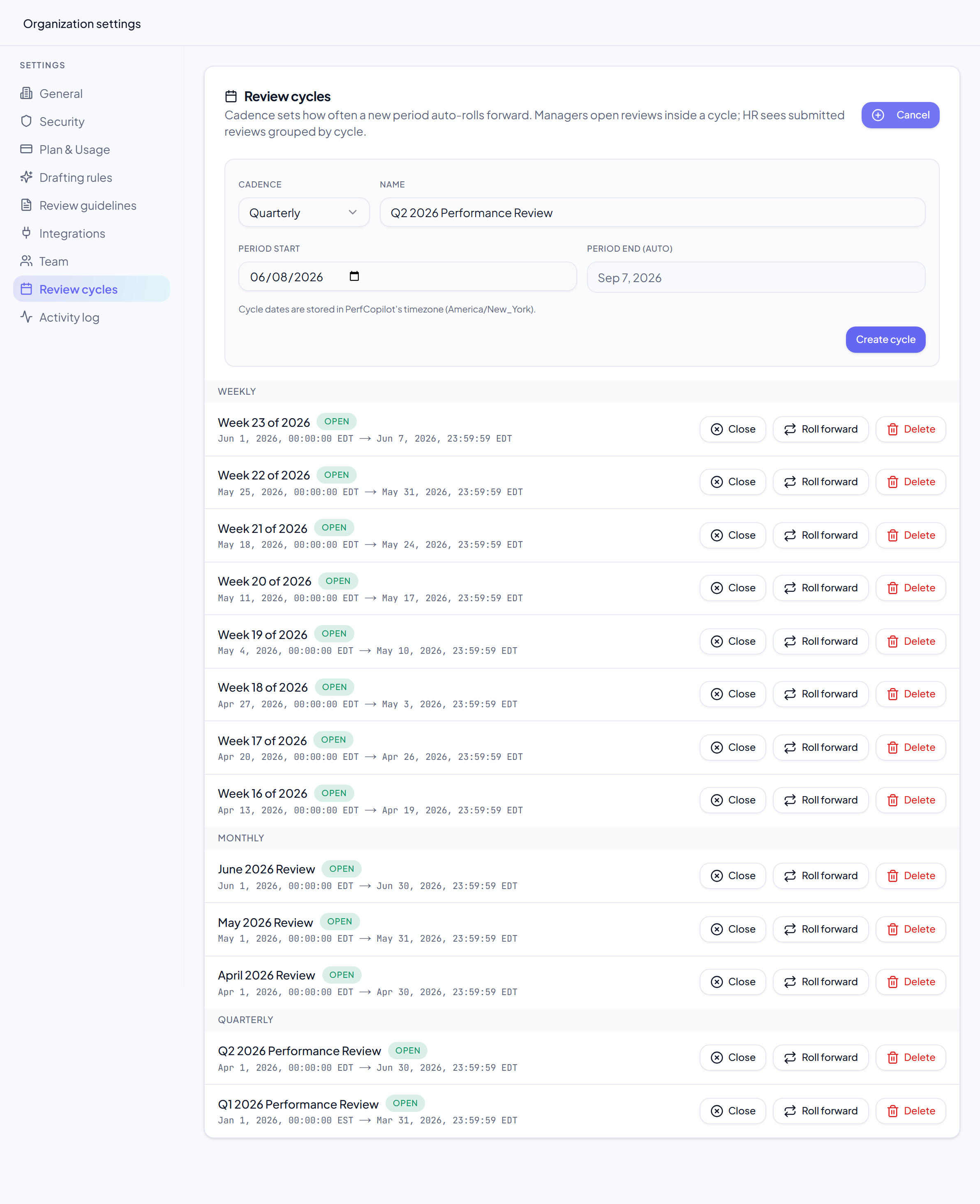
Pick the cadence (weekly, monthly, quarterly, or custom) and the window. The cycle anchors every signal and draft to that period, so editing the dates later never rewrites history.
In the app: go to Settings → Review cycles and click New cycle (you can also start one from the Cycles overview). Choose the cadence and the start and end dates.
Learn more: Review cycles.
6. Sync all signals
One click pulls the period's work from every connected tool into the cycle. Re-sync any time to pick up new activity before you generate.
In the app: on the People page, click Sync all. PerfCopilot gathers the cycle's signals from every active integration; per-person signal coverage and review status show in the roster.

Learn more: Review cycles.
7. Generate the draft
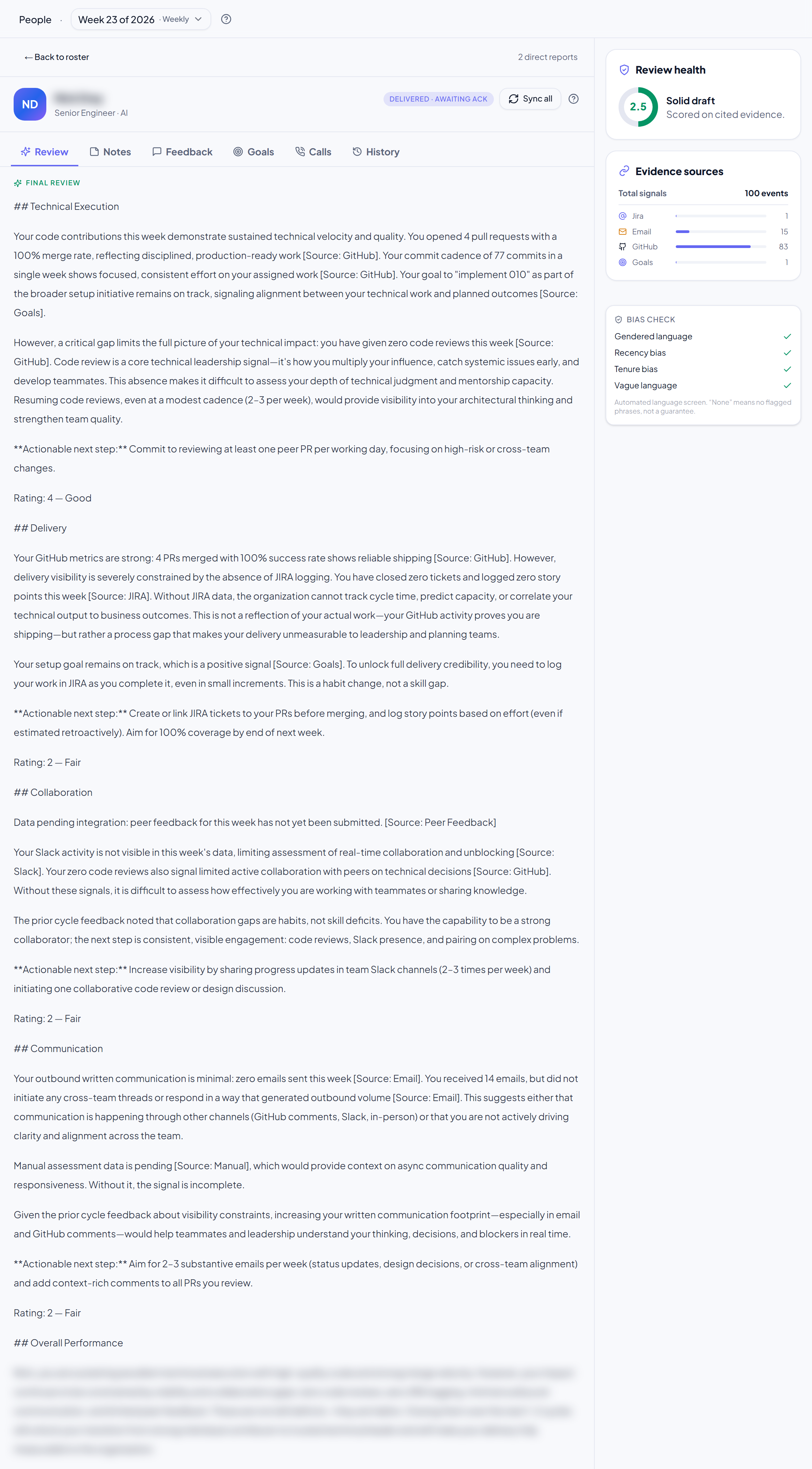
Pick a person and generate. PerfCopilot runs the cycle's signals through Claude with that person's preset and tone, and writes a first draft with citations back to the source work.
In the app: in the person's Review tab, click Generate draft. Generation needs at least one synced signal; after the first run the button becomes Regenerate.
Learn more: How AI reviews work.
8. Review the draft
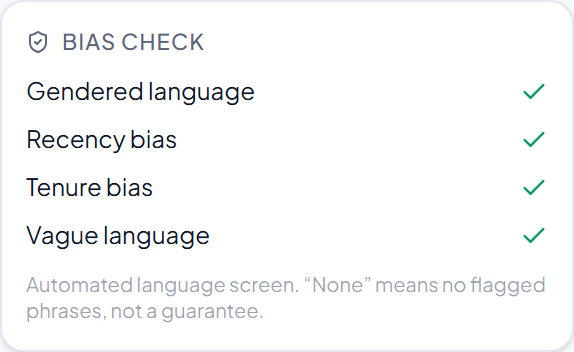
Read the draft with the bias check beside it, flagging gendered language, recency, and tenure. Edit the wording, add private manager notes the employee never sees, and adjust the rating if you want to override the model's read.
In the app: stay on the Review tab. The bias check runs automatically with each generation and shows its flags inline and in the right-rail panel. Edit the text directly, add private notes, and set the rating.
Learn more: How AI reviews work.
9. Deliver to your people
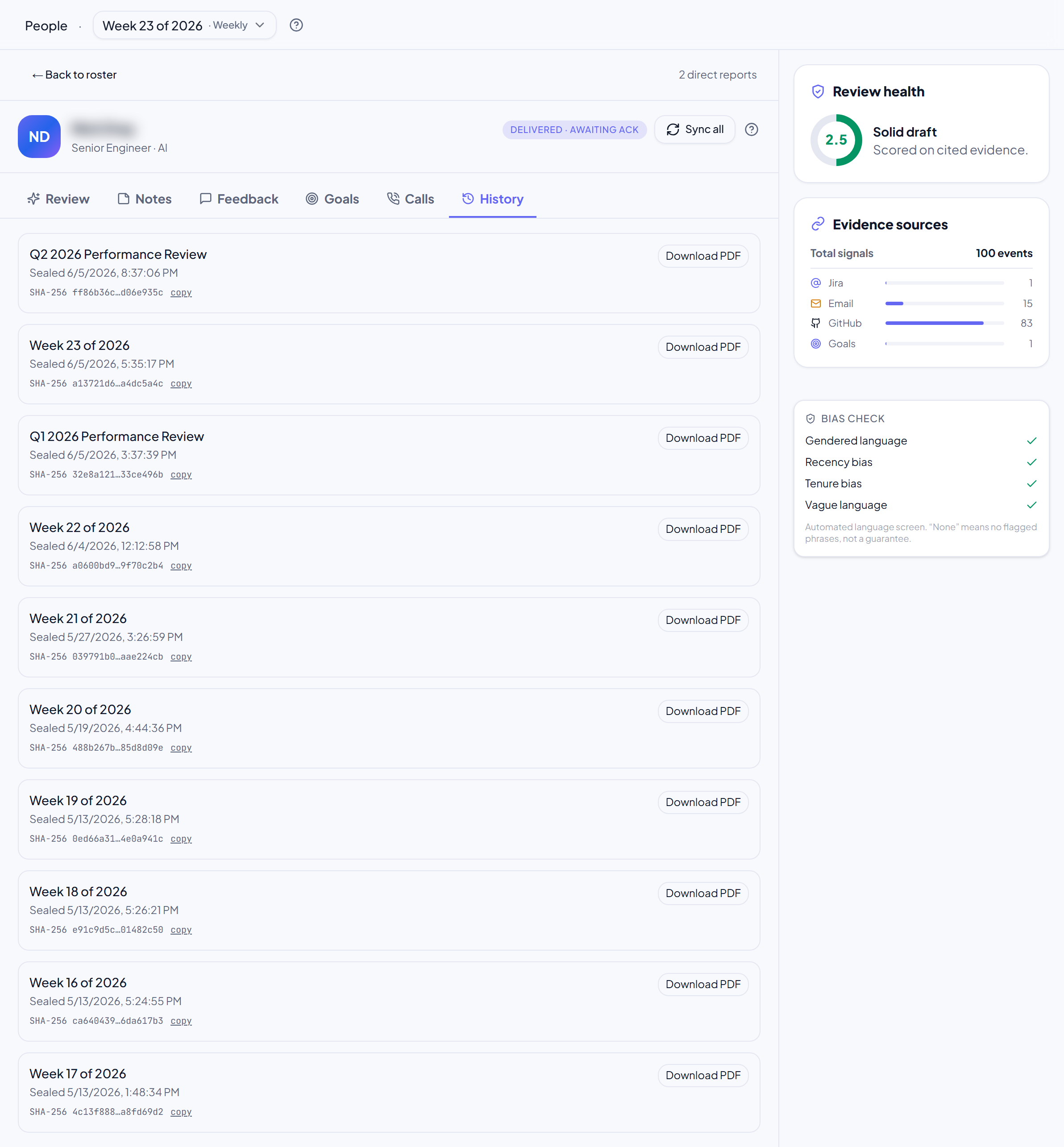
Send the review. The employee gets a magic-link to a sealed PDF, reads it, and acknowledges. Everything is logged in the audit trail and HR gets a copy.
In the app: click Submit to HR. PerfCopilot seals the draft into a PDF, delivers a magic-link to the employee, and records the acknowledgement in the audit trail.
Learn more: How AI reviews work.
Track your setup
Two things help you get through the setup steps:
- The onboarding wizard runs at sign-up and covers Organization, Branding, Train AI, Team, and Launch. Each part is skippable, so you can come back later.
- The setup checklist sits on your dashboard and tracks five items: verify your email, add your team, connect at least one integration, assign a preset to each person, and create your first review cycle. It hides itself once all five are done.